- Docs
- Tutorials
Add a Domain Board for Data and AI
Send data-store and AI-system decisions to a Data & AI board whose area owners decide them, while everything else stays with the Design Authority.
#What You'll Build
A Data & AI Board that decides every decision whose topic is data store or AI system. Its data owner and AI owner record positions, and its chair declares. Every other decision still goes to the Design Authority.
Routing by topic works in Archigov 0.2 and later.
#1. Create the Board
As the platform admin, open Governance → Boards and choose New Board:
- Code:
DAI - Name: Data & AI Board
- Purpose: Decides data-store and AI-system decisions for the whole estate.
Choose Create. A callout on the new board lists what it still lacks.
#2. Seat the Members and Their Areas
On the board:
- A new board has no areas. Choose Edit Areas, select Data and AI, and choose Save Areas.
- Under Manage Members, use Add member and Seat to seat:
- Mia Hughes as chair;
- Priya Osei as a decision maker, with Data under Areas owned;
- Tom Nguyen as a decision maker, with AI under Areas owned.
Area Ownership now shows an owner for each area. An area marked Unowned would block every review that touches it.
#3. Route the Topics
Under Decision Flow → Routing, choose Edit Routing, then add two rules:
| Review type | Category |
|---|---|
| Decision | data-store |
| Decision | ai-system |
A decision's category is its topic: hosting, data-store, integration, ai-system, security or general. Choose Save Routing.
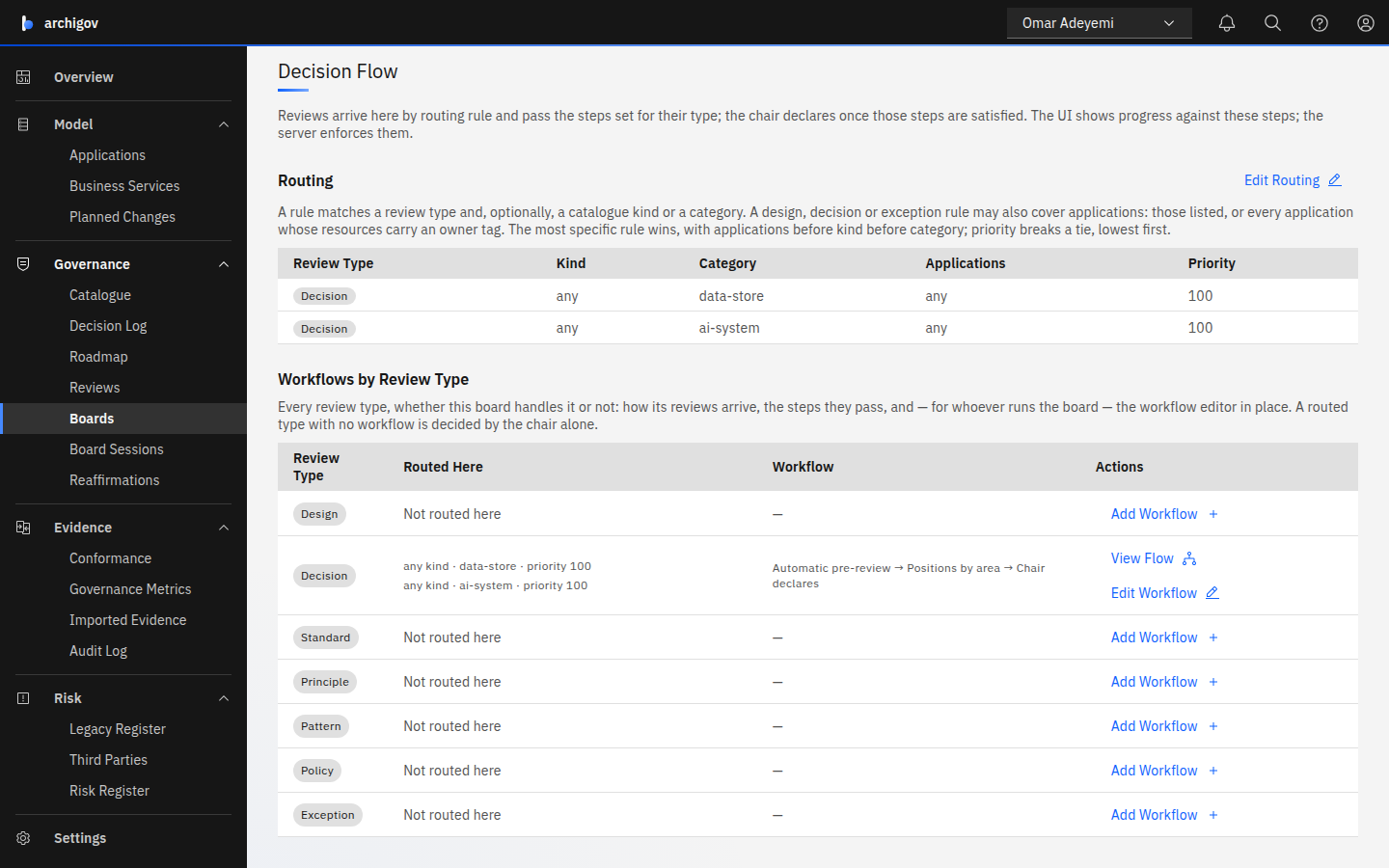
To send catalogue items here too, add a rule for that review type, for example Standard with the category your data standards use.
#4. Set the Workflow
On the Decision row of Workflows by Review Type, choose Add Workflow. On a board with areas, the approvals step starts with Mode set to Areas. Keep it and choose Save Policy. Every area a decision touches now needs a position from its owner on this board.
#5. Check Where Decisions Go
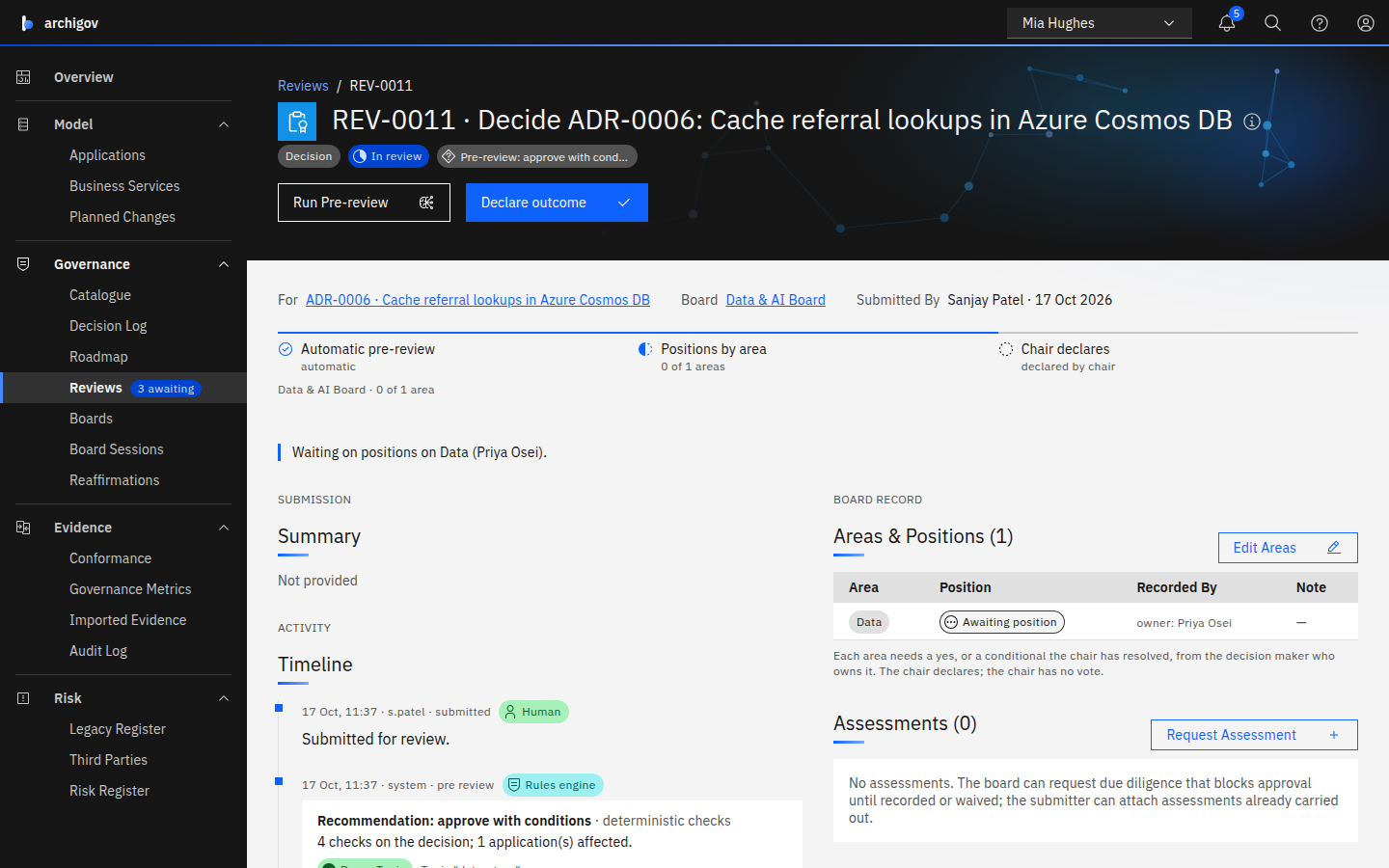
As an author, record a decision in the Decision Log with the topic Data store for an application no team board claims, such as Data Platform. On the decision, choose Submit for Review. The review lands on the Data & AI Board and waits on the Data owner's position.
#Good to Know
- A team board wins for its own applications. A rule naming applications is more specific than a topic, so a data-store decision for an application a team board claims goes to that team. See team boards.
- The Design Authority keeps the rest. Hosting, integration, security and general decisions still go there.
- Reaffirmation follows the board. Decisions accepted here are reaffirmed by this board's chair. See Reaffirmations.
Something unclear or out of date? Write to hello@archigov.com or open an issue on GitHub.