- Docs
- Concepts
Architecture Decisions
How Archigov records an architecture decision, argues it, links it, takes it through a board, and keeps the estate held to it afterwards.
#What a Decision Is
An architecture decision record (ADR) in Archigov follows the MADR structure and adds what a board needs to test it and what an engine needs to check it. Each decision has a code (ADR-0001), a status, an author, and the usual origin and verification state.
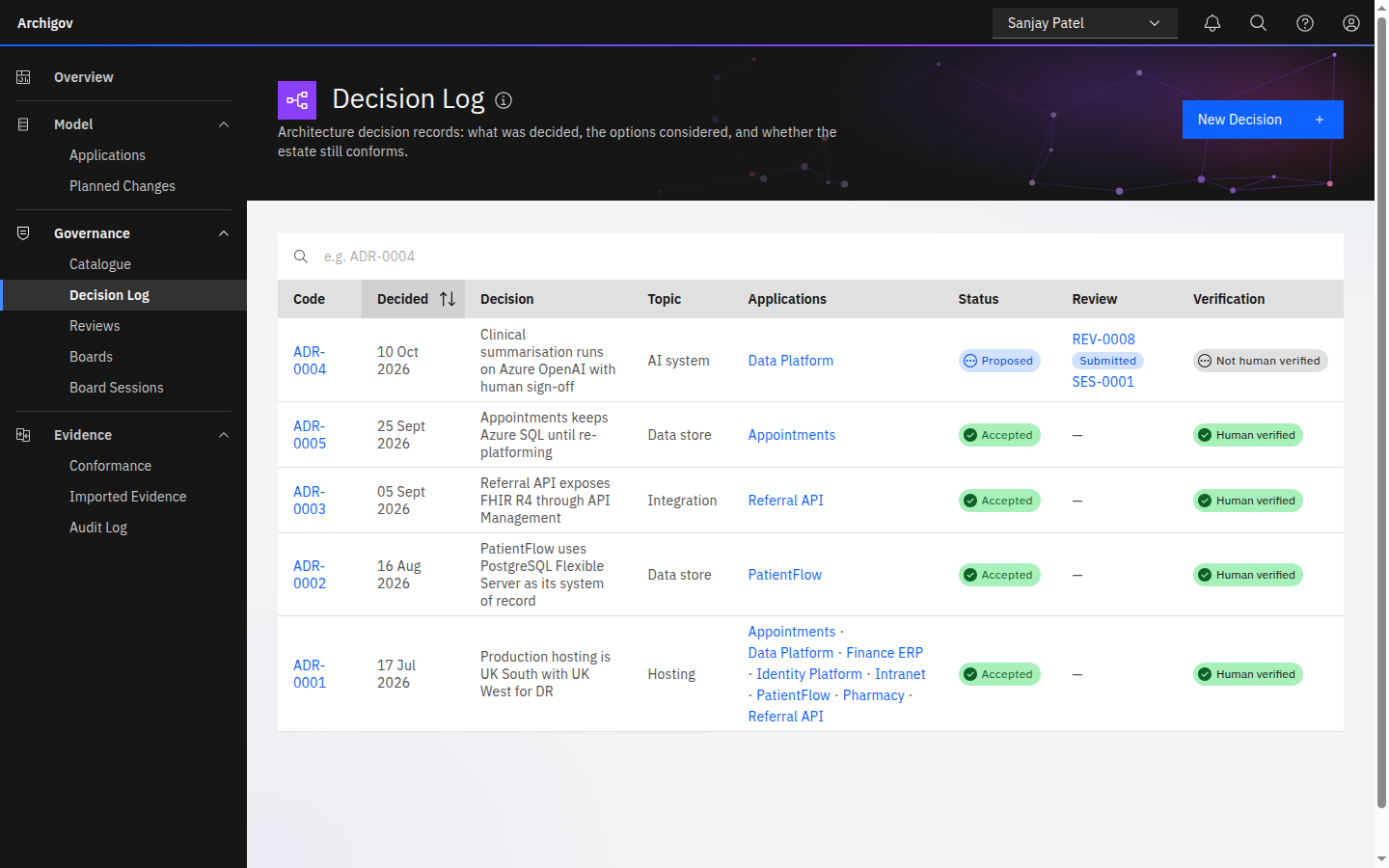
| Field | Purpose |
|---|---|
| Title | The decision, stated as an outcome |
| Topic | A short key such as data-store, hosting or ai-system. Rules find decisions by topic, and the topic contributes to the review's touched areas |
| Context | The forces at play |
| Options considered | Each option with its pros and cons |
| Recommended Option | What is proposed |
| Justification | The argument the board will test: why this option, against the alternatives |
| Consequences | What accepting it means — including the risks explicitly accepted |
| Checkable constraint | Optional: the resource types the decision allows (for example Microsoft.Sql/servers) |
| Applications | The applications the decision governs |
| Linked artefacts | The standards, principles, patterns and policies the decision rests on |
#The Three-part Argument
Archigov asks every decision to argue in three parts, because each fails differently:
- Recommended Option — the claim. A vague claim cannot be tested.
- Justification — the reasons. This is where unsupported assertions and strawman alternatives hide.
- Consequences — the price. A decision that names no risks has not been thought through, or is hiding them.
When the Decision Review AI feature is enabled, an author can ask for a critical reading of the draft before submitting it: unsupported claims, strawman options, circular reasoning, unstated risks, and contradictions with adopted artefacts (cited by code). It returns a tightened version the author may apply. The review is advisory and is never stored; the author decides what to submit. See AI in Archigov.
#Evidence on a Decision
Where a critical claim has no evidence, the author can attach an assessment to the decision itself — a DPIA, a security or supplier assessment, an impact or scope assessment. The author records it (or a named assessor does) on the decision's page, or provides evidence already gathered. Decision-attached assessments follow the decision into its review and appear there as On the Decision. They inform the board and never block an outcome. See Assessments.
#Status and Lifecycle
| Status | Meaning |
|---|---|
proposed | Drafted; not yet decided. Editable by its author |
accepted | Decided. Its constraint is enforced and rules that ask for a decision on its topic are satisfied |
rejected | Decided against |
superseded | Replaced by a later decision; the link is kept as lineage |
deprecated | No longer applies, with nothing replacing it |
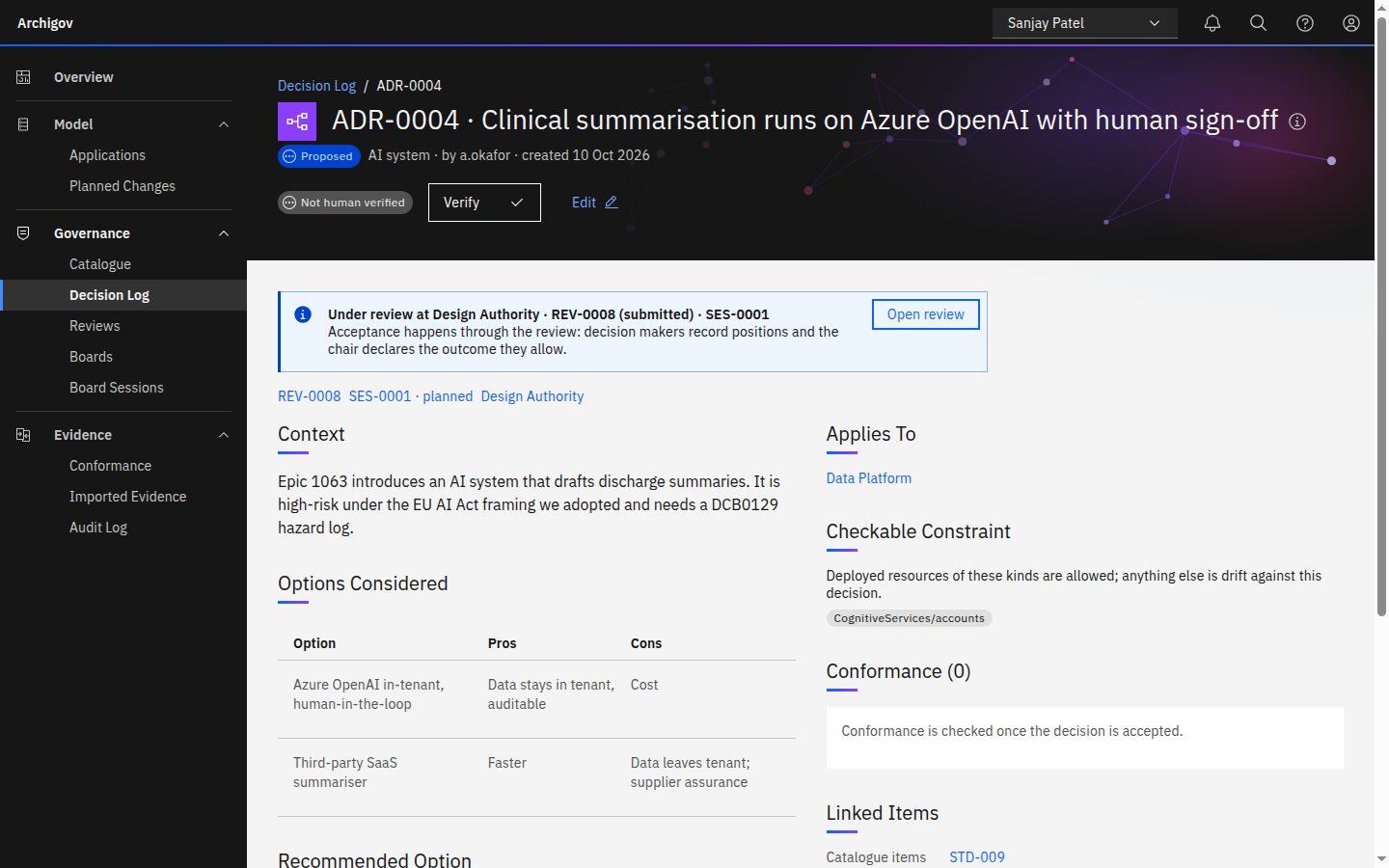
A decision is normally accepted or rejected through a review. While a review that decides it is in flight, a direct status change to accepted or rejected is refused with 409 under review, so there is exactly one way to accept it. The board chair can still move a decision to proposed, superseded or deprecated directly.
Editing a decision resets its verification to unverified: whoever verified it stood behind the earlier text, not the new one.
#Links Between Decisions
- Depends on / blocks. A review can be approved pending a dependent decision raised from it; it becomes effective when that decision is accepted. If the dependency is rejected, the dependent item goes back on the agenda. See Boards and reviews.
- Supersedes. Superseding a decision keeps the chain, so you can see what a decision replaced and why.
- Related. A plain cross-reference.
#Holding the Estate to a Decision
Two rule operators connect decisions to the derived model:
hasDecision(application scope) — an application that meets a condition must have an accepted decision on a topic. The core standard STD-006 asks every application running Azure SQL for adata-storedecision.decisionConstraint(resource scope) — a resource must fall within the allowed types of the application's accepted decision on a topic. STD-006b uses it to flag a database service the data-store decision did not approve.
A violation becomes a finding that cites the decision by code. See Conformance and the Rule DSL.
#Decisions from the Backlog
When Azure DevOps is connected, epics and features arrive as planned changes. An epic that needs an architecture decision and has none is flagged; an author can draft a decision from the work item (with AI, if enabled, or from a template). A requirement that changes materially after its design was approved is flagged too. Planned changes can also be logged by hand for initiatives no backlog tool knows about yet. See Azure DevOps.
#Who Can Do What
- Authors create and edit their decisions, attach evidence, and submit them for review.
- Board seats decide them through the review: decision makers record positions, the chair declares.
- Chairs may change a decision's status outside a review, except to accept or reject one that is under review.
- Auditors and the platform admin read only.
Something unclear or out of date? Write to hello@archigov.com or open an issue on GitHub.