- Docs
- Concepts
AI in Archigov
Eight optional AI features that propose and narrate while a named human decides — off by default, per-feature, any provider, with a deterministic fallback for every one.
#The Boundary
AI in Archigov proposes and narrates; it never decides. Every AI output is stored (when it is stored at all) with origin: ai and verification: unverified. It never records a position, never approves, and never adopts anything. Citations an AI produces must resolve to a real artefact, decision, resource or design section, or they are discarded before storage.
Every feature is off by default and has a deterministic fallback, so Archigov is complete with no model configured.
#The Features
| Feature | Who uses it | What it does | The human step |
|---|---|---|---|
| Pre-review | Runs on a review | Cited advisory findings on top of the deterministic checks | Board seats weigh them; it never approves |
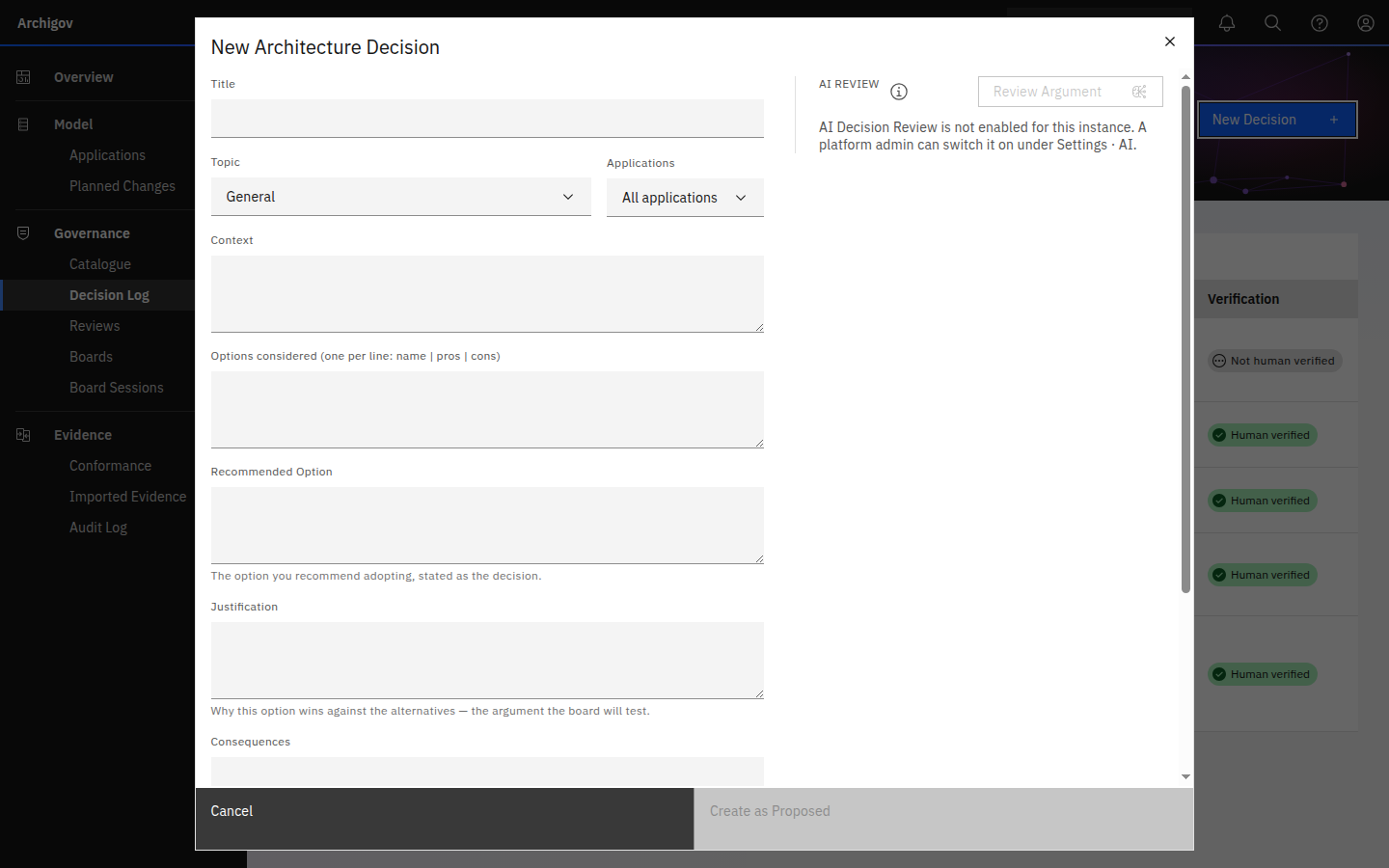
| Decision Review | Authors | Critiques a draft decision's argument — unsupported claims, strawman options, circular reasoning, unstated risks, contradictions with adopted artefacts — and offers a tightened version; suggests assessments for unevidenced critical claims | The author applies or ignores it; nothing is stored |
| Decision Drafting | Authors | Drafts a decision from a planned-change work item | The author edits and submits |
| Rule Drafting | Authors | Turns an artefact's statement into a rule; the draft comes back validated and dry-run against the live model | The author saves; a board adopts |
| Control References | Authors | Suggests framework references for a draft artefact | The author prunes and saves |
| Assessment Drafting | Assessors | Fills the assessment type's template headings from the review; gaps say To be confirmed | The assessor edits and records the result as their own |
| Session Notes Drafting | Secretary, chair | Drafts the narrative notes from the session's own records | The secretary edits; the minutes stay derived |
| Evidence Mapping | Platform admin | Suggests control ids for unmapped Defender and Policy keys | The admin saves to pin |
#Providers
The platform admin chooses a provider and model per feature under Settings → AI: OpenAI, Anthropic Claude, Mistral, Ollama (local, no key needed), or any OpenAI-compatible endpoint. Pre-review can run on a local Ollama while decision review uses a hosted model. See AI providers.
#Data Handling
- Keys saved in Settings are encrypted at rest with AES-256-GCM. A key supplied through the environment beats a stored one and never touches the database. Keys are never returned by the API, never written to the audit log, never exported.
- What is sent is the context the feature needs: the review, design or decision text, the relevant catalogue items, and — for pre-review — the application's resources. Nothing is sent for a feature that is switched off.
- Where it goes is the provider you configure. With Ollama, nothing leaves your network.
- Every AI pre-review records the engine, provider and model in its data and on the timeline.
#When a Feature Is Off
Draft endpoints answer 409 when their feature is disabled, and the UI shows the button greyed with the reason. GET /api/ai/features tells any page which features are on.
Something unclear or out of date? Write to hello@archigov.com or open an issue on GitHub.