- Docs
- Overview
Quickstart
Run Archigov locally with Docker, explore the demo tenant, and see the product through each role in about five minutes.
#Before You Start
You need one of:
- Docker with Compose v2 (recommended), or
- Node.js 22 and npm, to run from source.
Archigov needs no database server, queue or cache. Everything lives in one SQLite file inside a data directory.
#Run with Docker
git clone https://github.com/00xE8/archigov.git
cd archigov
docker compose up --build
Open http://localhost:8080. On its first boot against an empty volume the container loads the demo tenant: a fictional estate of Azure resources grouped into applications, the core standards pack, two boards with seated members, open reviews in several stages and a planned board session.
Data lives in the archigov-data Docker volume. To start again from a clean demo:
docker compose down -v && docker compose up -d#Run from Source
cd web && npm install && npm run build && cd ..
cd server && npm install && npm run build && npm start
# open http://localhost:8080
The server keeps its data in ../data when DATA_DIR is not set. For development, run npm run dev in server/ (API on port 8080) and in web/ (UI on port 5173, proxying /api).
#Look Around as Different People
The default sign-in mode, AUTH_MODE=local, is meant for a trusted network and first runs. The header carries a View As menu listing every demo user with their roles. Choosing one signs you in as that person, so everything you do afterwards is genuinely theirs and is audited under their name.
| Demo user | Who they are | Try |
|---|---|---|
Sanjay Patel (s.patel) | Author; advisory reviewer on the Design Authority | Draft a decision, run a pre-review, submit a design |
Mia Hughes (m.hughes) | Decision maker owning security, data, compliance and AI | Record positions on reviews that touch her areas |
Priya Osei (p.osei) | Decision maker owning integration, infrastructure, resilience and cost | The same, for her areas |
Joel Duduka (j.duduka) | Chief architect; chairs the Design Authority | Resolve conditionals and declare outcomes |
Ada Okafor (a.okafor) | Author; secretary of the Design Authority | Plan a session, record attendance, write the notes |
Rosa Khan (r.khan) | Chairs the Policy & Compliance Board | Decide policies, principles and exceptions |
Anna Auditor (a.uditor) | Auditor | Read everything, export the signed evidence pack |
Omar Adeyemi (ops.admin) | Platform admin only | Configure sources and settings — and notice he cannot decide anything |
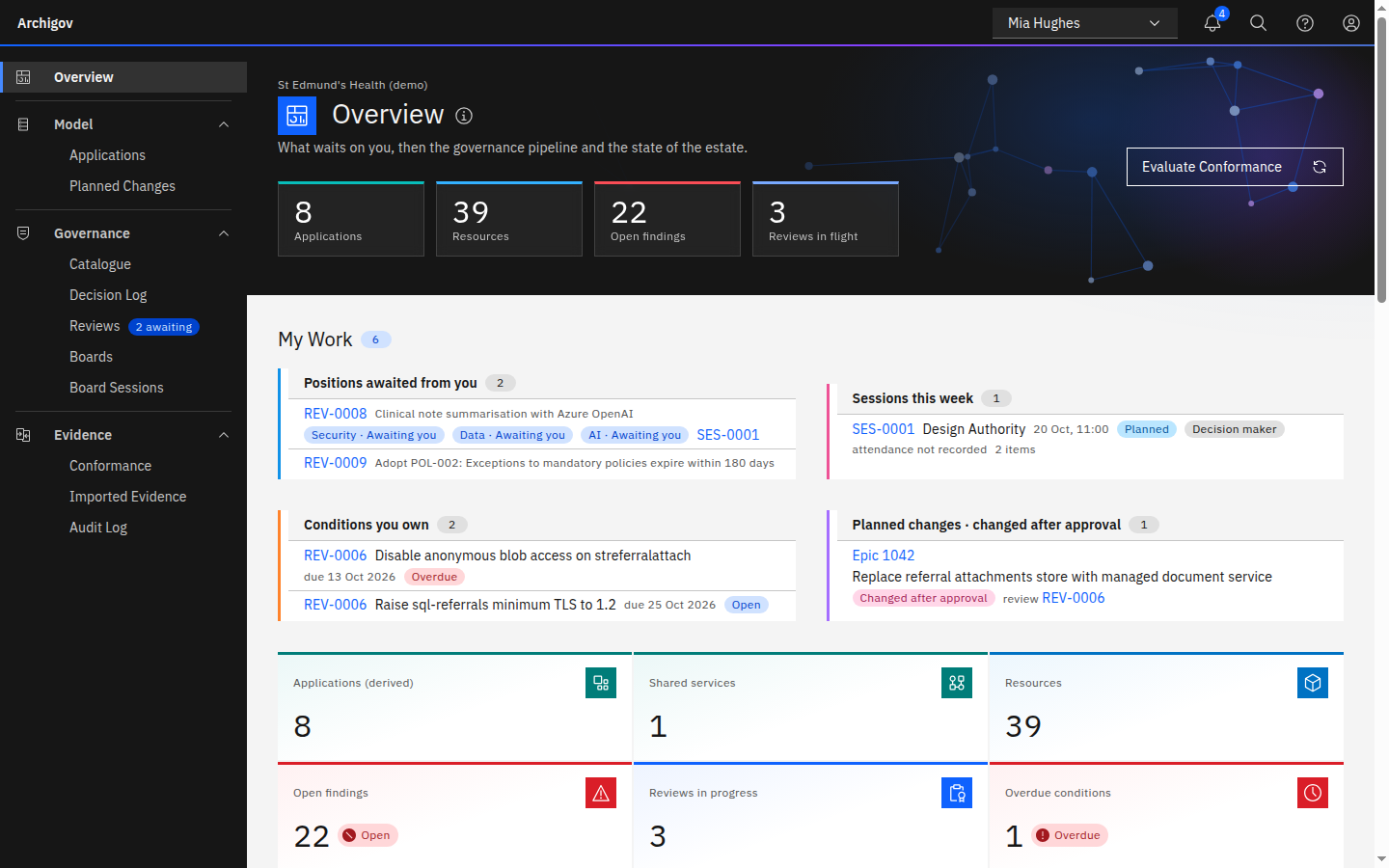
Start on Overview. It opens with what the workflow is waiting on you for — positions to record, items ready to declare, conditionals to resolve, sessions this week — and every number links to the list behind it. The bell in the header counts the same assigned work.
#A Five-minute Tour
Model → Applications. The applications were inferred from tags and resource-group conventions. Each element shows how it was derived and whether a human has verified it. Open one and look at the Design tab: deployment views generated in ArchiMate notation from the estate.
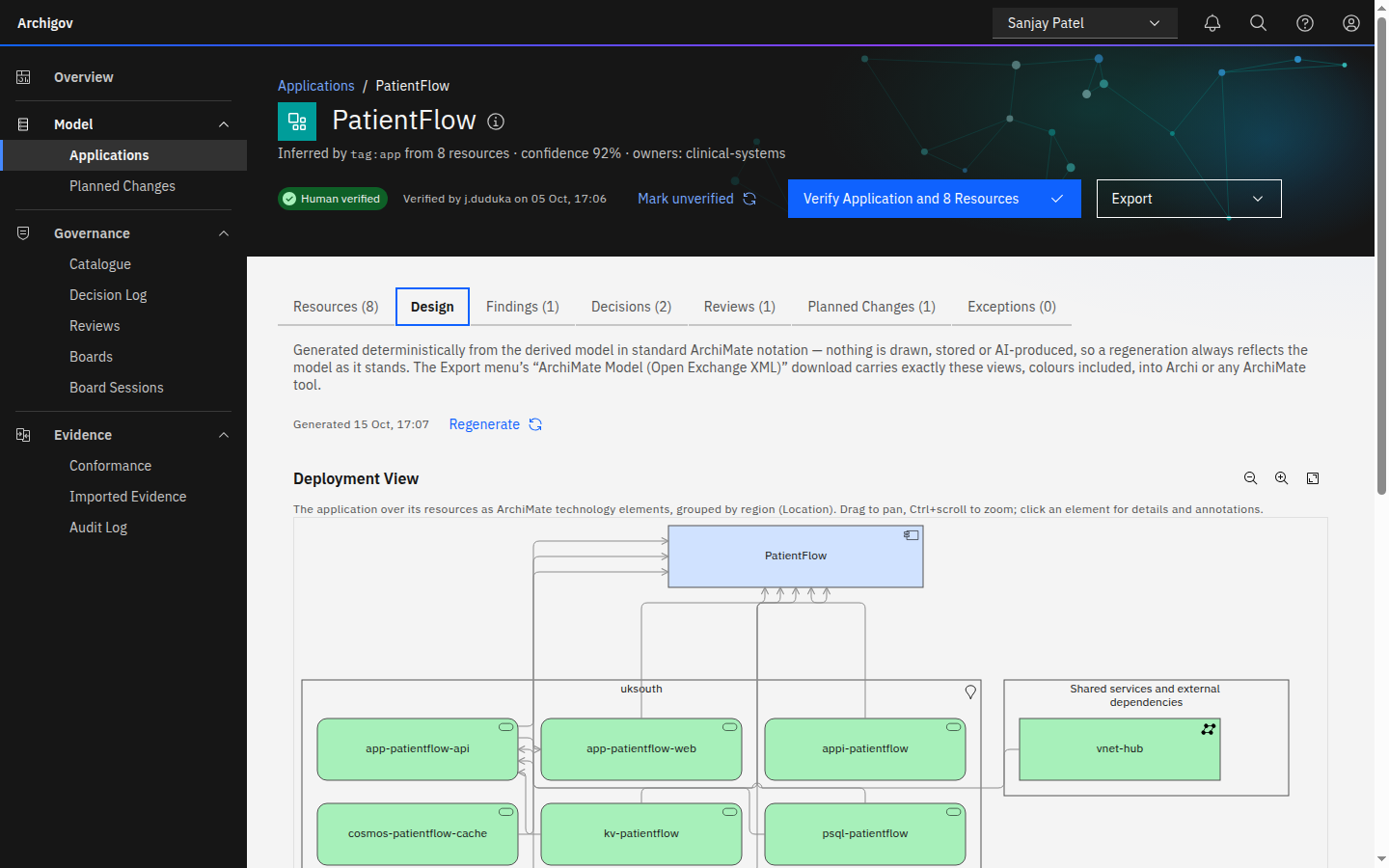
The Design tab of an application: a deployment view generated from the estate, never drawn. Governance → Catalogue. Standards, principles, patterns and policies, each with control references and, where possible, a rule. Open a standard with a rule and run a dry run to see what it would find today.
Governance → Decision Log. Architecture decisions with their three-part argument, linked artefacts, and status. A decision under review points to its review instead of offering a second way to accept it.
Governance → Reviews. Open a design review. The waiting-on line names exactly who holds it up; the board record shows each touched area, its owner and their position.
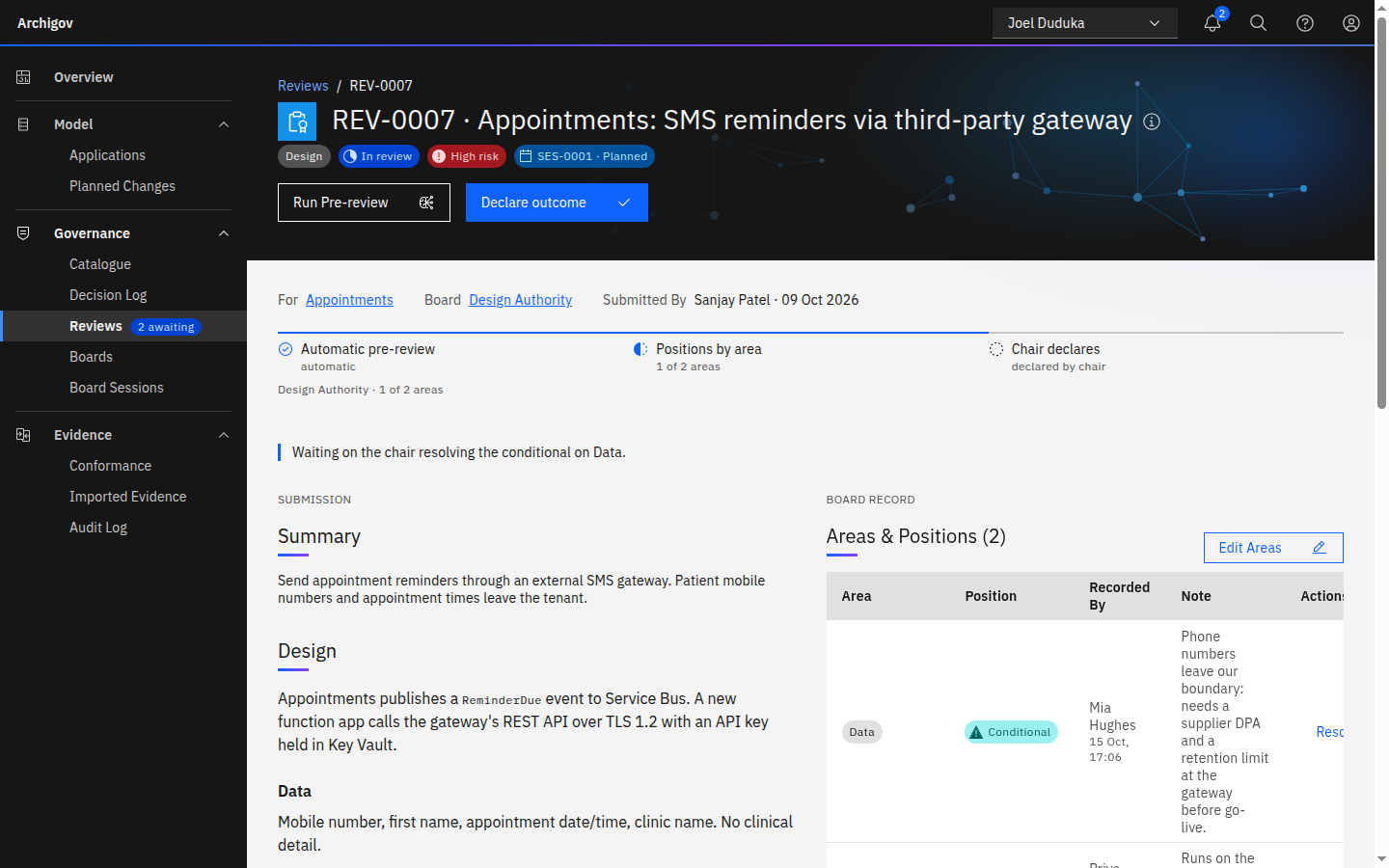
A design review: the waiting-on line, the submission, and the board record of positions by area. Governance → Board Sessions. Open
SES-0001. The agenda was derived: ready items first, a consent agenda for items every area has already approved.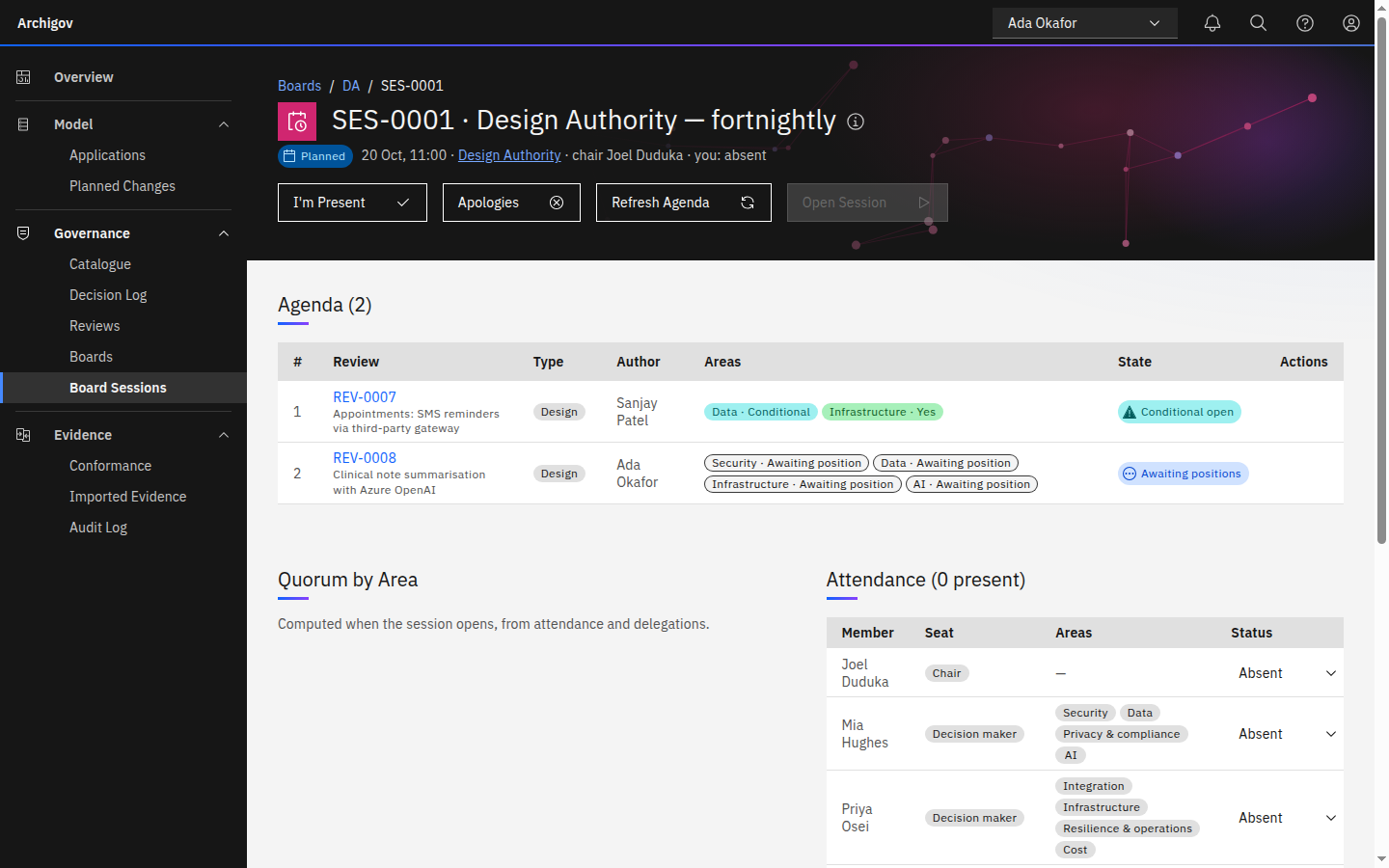
A planned sitting: the agenda is derived, each item shows the state of its areas. Evidence → Conformance. Findings from the adopted rules, each citing the artefact or decision it comes from, with first-seen and last-seen dates.
Evidence → Audit Log. Every action, chained by SHA-256. Switch to Anna Auditor and export the evidence pack.
Tip
Want an empty instance instead? Start with
SEED_DEMO=false. The Overview then offers Get Started: install a starter pack, connect a source, or load the demo on demand.
#Next Steps
- Walk a decision end to end in Your first decision.
- Read How it fits together for the model behind the screens.
- When you are ready for real data, follow Self-host in production and Connect Azure.
Something unclear or out of date? Write to hello@archigov.com or open an issue on GitHub.