- Docs
- Guides
Connect Azure
Collect your estate from Azure Resource Graph and import Defender for Cloud and Azure Policy results as evidence, with a read-only identity.
#What Is Collected
| Collector | API | Becomes |
|---|---|---|
| Azure | Resource Graph (2024-04-01) | Resources in the derived model, grouped into applications and shared services |
| Defender | Defender for Cloud assessments (2021-06-01), joined with assessment metadata | Evidence on resources |
| Azure Policy | Policy Insights compliance states (2024-10-01) | Evidence on resources |
Only metadata is read: resource properties, tags, and assessment and compliance states. No data plane, no secrets, no writes.
#1. Create a Read-only Identity
Create an app registration (or use a managed identity if Archigov runs in Azure) and grant it, on each subscription or a management group above them:
- Reader — for Resource Graph and Policy Insights;
- Security Reader — for Defender for Cloud assessments.
az ad sp create-for-rbac --name archigov-reader --role Reader \
  --scopes /subscriptions/<sub-id-1> /subscriptions/<sub-id-2>
az role assignment create --assignee <appId> --role "Security Reader" \
--scope /subscriptions/<sub-id-1>#2. Configure
AZURE_TENANT_ID=<tenant id>
AZURE_CLIENT_ID=<application id>
AZURE_CLIENT_SECRET=<secret>          # omit with a managed identity
AZURE_SUBSCRIPTIONS=<sub-id-1>,<sub-id-2>   # optional; default: every subscription the identity can see
Archigov uses the standard Azure credential chain: environment variables, then managed identity. Restart the container after changing them.
#3. Test and Sync
As the platform admin, open Settings → Sources:
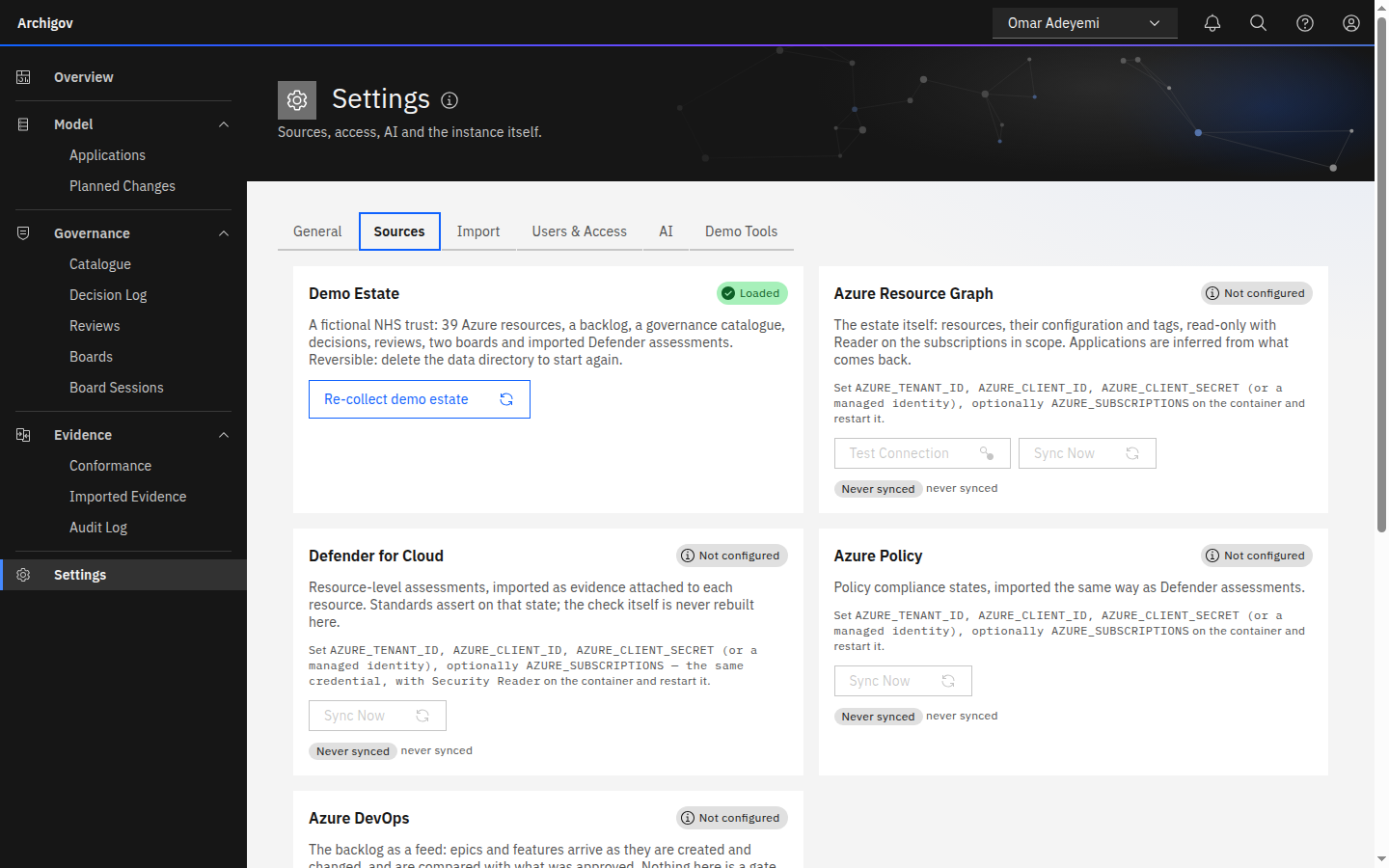
- Test the Azure connection. It acquires a token and runs a small Resource Graph query.
- Sync Azure. Resources arrive, applications are inferred, and conformance runs.
- Sync Defender and Azure Policy. Evidence attaches to resources and conformance runs again.
Each sync is a run with its statistics — created, updated, unchanged, removed, applications and shared services found, evidence matched and unmatched — visible in Run History.
#4. Keep It Current
Every configured source is re-collected on the collection interval (Settings → General, default 60 minutes), followed by an evaluation. Conformance is also re-evaluated hourly on its own, so exceptions and conditions expire on time.
#Getting Applications Right
Inference is deterministic and explainable (see The derived model):
- Tag workloads with
app(orapplication,service,workload,system). Tags win over every convention. - Name shared platforms' resource groups with
hub,network,connectivity,shared,platform,management,identityordnsso they become shared services. - Use
rg-<app>-<env>-<region>for everything else. - Tag owners with
owner— the core pack checks for it.
Where inference is wrong, move the resource to the right application in the UI. The human link survives later collections.
#Evidence Mapping
Defender and Policy results are keyed by control. The default mapping covers storage public access, SQL public network access, App Service HTTPS-only and minimum TLS, VM system updates, storage and SQL minimum TLS, Key Vault purge protection and soft delete, and Cognitive Services local authentication. Anything else keeps a defender:<slug> or policy:<definitionName> key. To give those keys a control name your rules use, edit the evidence control map under Settings → General (JSON, string to string).
#Limits to Know
- Assessments scoped to a subscription rather than a resource are reported as unmatched; they do not attach to an element.
- Resource Graph throttling is respected (quota headers and retry).
- Without credentials,
ARCHIGOV_FIXTURES=1answers every call from recorded fixtures through the real parsing code — useful for demos and CI, never for production.
Something unclear or out of date? Write to hello@archigov.com or open an issue on GitHub.