- Docs
- Guides
Importing Data
Bring in resources and relations from CSV, elements and motivation from ArchiMate, artefacts from packs, CSV or JSON, and compliance evidence through the API.
Every import is a source with provenance: elements and artefacts record where they came from, arrive unverified, and are subject to the same rules as everything else. Importers do not turn Archigov into an editor.
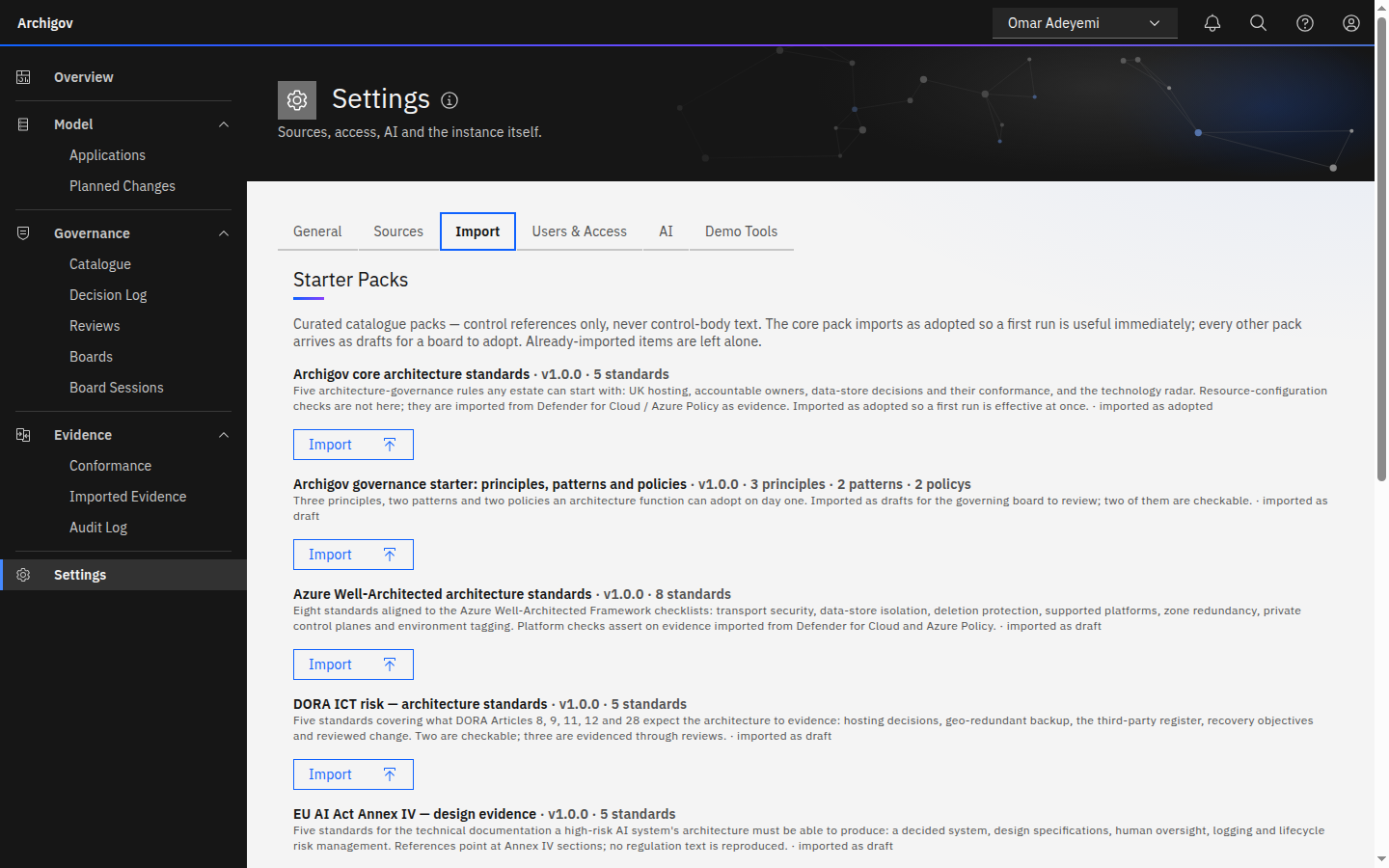
#Packs
The quickest way to a useful catalogue. Settings → Import → Starter Packs (platform admin, typically on first run) or from the catalogue (authors). The core pack arrives adopted; the others arrive as drafts for your boards to adopt. See The governance catalogue.
#Resources and Relations from CSV
For estates outside Azure, or inventories from another tool. Download the templates under Settings → Import, or from GET /api/import/templates/csv?kind=resources|relations|artefacts.
Resources — required columns id, name, type:
id,name,type,location,resourceGroup,subscriptionId,tags,properties,dependsOn
/subscriptions/0000/resourcegroups/rg-claims-prod/providers/microsoft.web/sites/app-claims-api,app-claims-api,Microsoft.Web/sites,uksouth,rg-claims-prod,0000,app=claims;owner=claims-team;env=prod,"{""httpsOnly"":true,""minTlsVersion"":""1.2""}",tags—key=valuepairs separated by;.properties— a JSON object; normalised properties are derived from it as for Azure.dependsOn— references to other resources' ids.
Relations — from_ref, to_ref, type (for example depends_on).
Applications are inferred from tags and resource-group names exactly as for Azure.
#ArchiMate Open Exchange
Upload an Open Exchange XML file, or Archi's native .archimate file, under Settings → Import:
- Application components (and collaborations) become applications.
- Technology elements — nodes, devices, system software, technology services and interfaces, networks, paths, artifacts, equipment, facilities — become resources.
- Serving, flow, realisation, assignment, access and structural relations become dependencies.
- Motivation elements map onto the catalogue as drafts: a Principle becomes a principle and a Constraint a mandatory policy. Requirements are reported, not imported.
- Business and strategy layers are skipped and reported: they have no place in a model checked against a cloud estate.
Every imported element records archimate provenance and arrives unverified.
#Artefacts from CSV or JSON
Import standards, principles, patterns and policies together. Download the template from GET /api/import/artefacts/template.csv:
kind,title,category,statement,rationale,control_refs,rule_json,enforcement,severity,status,context,solution,applicability
policy,Production data stays in UK regions,Hosting,Every production resource is deployed in a UK region.,Regulatory residency expectation.,UK GDPR Art.44; DSPT 2025 A1.a,"{""scope"":""resource"",…}",mandatory,high,adopt,,,
pattern,One Key Vault per application,Security,Each application keeps its secrets in a single vault it owns.,Shared vaults blur ownership.,ISO 27001 A.8.24,,,medium,adopt,Teams create vaults ad hoc.,Provision one vault per application with RBAC.,All applications holding secretskind—standard,principle,patternorpolicy.control_refs— separated by;. References only, never control text.rule_json— optional; validated on import.enforcementapplies to policies;context,solutionandapplicabilityto patterns.
Every imported artefact is a draft. Codes are assigned per kind.
#Compliance Evidence Through the API
For evidence from tools other than Defender and Azure Policy — a penetration-test tracker, a CMDB, a manual attestation — post it as manual evidence (platform admin):
curl -X POST https://archigov.example.org/api/evidence/import \
  -H 'content-type: application/json' --cookie "$SESSION" \
  -d '{
    "source": "manual",
    "items": [
      { "resourceRef": "/subscriptions/…/providers/Microsoft.Storage/storageAccounts/stclaims",
        "control": "pen-test-2026", "state": "pass",
        "observed_at": "2026-10-01T09:00:00Z", "detail": { "report": "PT-2026-114" } }
    ]
  }'
Each item identifies the resource by resourceId, resourceRef (the source reference, e.g. the ARM id) or resourceName, and carries a control, a state of pass, fail or unknown, and optionally observed_at, severity and detail. Items upsert by resource, source and control, and conformance runs afterwards. A rule can then assert {"op":"evidence","control":"pen-test-2026"}.
Something unclear or out of date? Write to hello@archigov.com or open an issue on GitHub.